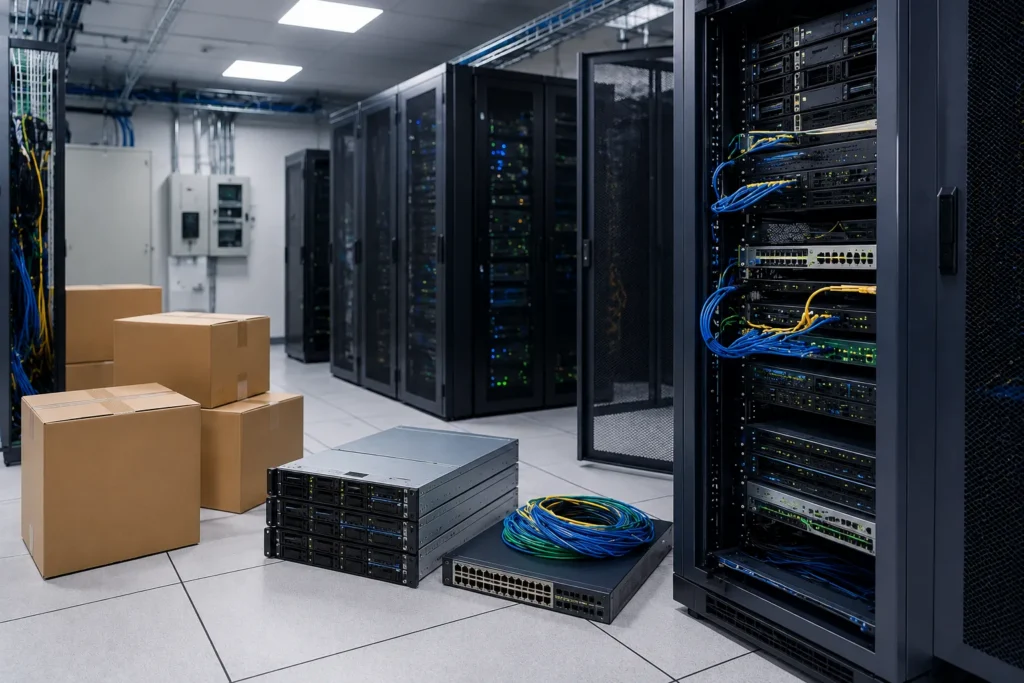
People tend to picture an office move as desks. Chairs. Filing cabinets that somehow still exist despite fifteen years of predictions about the paperless office. Reasonable image. Incomplete one.
Walk behind the walls of almost any modern company and another business quietly reveals itself. Server racks humming in climate-controlled rooms. Network switches blinking like tiny cities after sunset. Fiber connections. Backup systems. Storage arrays. Cable bundles that seem to have evolved naturally over decades, each one carrying information nobody wants to lose.
It’s oddly wonderful. In the same way the inside of a watch is wonderful. Complicated enough that touching the wrong thing feels wrong. That’s why moving IT equipment has very little in common with moving ordinary office furniture.
A conference table can survive arriving an hour late. An accounting server supporting payroll on Thursday afternoon? Different conversation. Technology creates an interesting illusion — everything looks invisible while it’s working. The moment it stops, the entire organization suddenly remembers exactly how many systems depended on it.
People often ask how to avoid downtime during an office relocation. The answer disappoints anyone hoping for a shortcut. Preparation. Almost unreasonable amounts of preparation. Professional IT relocations don’t succeed because movers are exceptionally strong — they succeed because very little is left to improvisation.
What Makes IT Infrastructure Uniquely Risky to Move Without Proper Planning
Technology dislikes surprises. Servers especially. Furniture tolerates a certain amount of chaos. A desk doesn’t care if it’s loaded before the conference chairs.
Network infrastructure possesses stronger opinions.
Every Cable Has a Job
Walk into an active server room. Pause. Don’t touch anything. Just look.
Rows of neatly organized cables disappear into switches, routers, storage devices, patch panels, backup systems, and power supplies. From a distance it resembles organized chaos.
Disconnecting one unidentified cable can interrupt systems people didn’t even realize were connected. The danger isn’t always obvious. That’s what makes it interesting. And occasionally expensive.
Downtime Costs More Than Transportation
The truck rarely becomes the biggest expense. Lost productivity often wins that contest. Employees waiting for network access. Sales teams unable to process orders. Manufacturing equipment sitting idle. Medical offices unable to retrieve records. Architects locked out of project files.
Every industry experiences downtime differently. None of them particularly enjoy it. Technology moves are measured less by miles traveled than minutes unavailable.
Hardware Is Surprisingly Fragile
Servers appear sturdy. Heavy metal chassis. Industrial construction. Rack-mounted equipment. Very impressive.
Internally? Quite delicate. Hard drives, circuit boards, cooling components, power supplies, specialized processors. Storage arrays. Vibration. Static electricity. Temperature changes. Improper handling. Each introduces its own collection of possibilities. Most of which belong firmly on the list titled, “Let’s avoid that”.
Dependencies Hide Everywhere
This part catches organizations off guard. One server supports another. One application authenticates users for five others. The backup appliance quietly protects everything else. The security system depends on the network. The network depends on power. Power monitoring depends on another device.
Infrastructure resembles dominoes designed by engineers. If one element gets disturbed, the others immefiately follow.
Data Matters More Than Equipment
Companies sometimes focus intensely on protecting expensive hardware. Reasonable. Still, the information inside usually carries much greater value.
A damaged rack can be replaced. Years of client records, research data, financial databases, project archives — those belong to an entirely different category.
Hardware transports information. Information runs businesses. Important distinction.
The Cost of Guesswork
Many office moves survive a little improvisation. Server rooms generally vote against that approach.
Someone forgets one network diagram. One power cable receives the wrong label. One storage array reconnects in the incorrect sequence. Suddenly Monday morning begins with far more frustration than anyone requested.
The strange thing about IT projects is that success often looks boring. Systems start. Employees log in. Nobody notices. That’s exactly the objective.
The Pre-Move Inventory, Shutdown, and Documentation Process for Server Rooms
Professional server room relocation projects usually begin long before moving day. Sometimes weeks beforehand. Occasionally months.
Planning takes longer than transportation. As it should.
Inventory Before Touching Anything
Count everything. Actually count everything. Servers. Switches. Firewalls. Storage arrays. UPS systems. Backup devices. Monitors. Tiny adapters with suspicious talent for disappearing exactly when needed most.
Inventory is no fun. Neither is purchasing duplicate hardware because someone assumed it would “probably be in that box somewhere”.
Optimism has limits.
Label More Than Feels Necessary
Then label again. Front. Back. Ports. Power supplies. Network cables. Rack positions. Bundles.
Color coding helps. Numbering helps. Photographs help — one photograph saves dozens of future questions. Take another. Then another. Entire racks, individual connections, cable routing, patch panels, power distribution, serial numbers. Asset tags.
The goal isn’t artistic photography — it’s eliminating uncertainty later. Smartphones have quietly become remarkable documentation tools. Might as well let them earn their keep.
Backup Before Moving
This sounds obvious. History politely suggests repeating it anyway. Fresh backups. Verified backups. Restore testing matters because a backup nobody can restore resembles owning a spare key that opens absolutely nothing.
Comforting in theory. Less useful in practice.
Plan the Shutdown Sequence
Everything cannot simply switch off simultaneously. Well, technically it can. Recovery becomes rather more entertaining afterward. Applications. Databases. Virtual machines. Storage. Network equipment. Power systems. The shutdown order exists for a reason. The startup order exists for exactly the same reason.
Infrastructure appreciates manners. One system politely waits for another.
Build a Timeline With Room for Reality
Schedules always look elegant on paper. Reality occasionally edits them.
Traffic. Weather. Unexpected equipment inspections. Building access. Freight elevators. Security procedures. Loading dock reservations. Professional teams include contingency time because cities enjoy introducing surprises. Especially large ones. Especially on Mondays.
Working With Movers Who Specialize in IT and Tech Equipment Relocation
Here’s a misconception worth retiring. A company experienced in moving office furniture automatically understands server infrastructure.
Not necessarily. Entirely different disciplines.
Ask About Technology Experience
Experience isn’t measured by confidence alone. Ask questions.
How many server rooms have they relocated? Do they coordinate with internal IT departments? Have they transported enterprise storage arrays? Rack-mounted servers? Laboratory computing equipment? Data center hardware?
Good companies answer comfortably. Specifics usually arrive faster than marketing slogans.
Specialized Equipment Matters
Server lifts. Anti-static materials. Protective transport cases. Climate considerations. Rack stabilization systems. Shock monitoring. Professional equipment exists because technology occasionally objects to ordinary moving methods.
Quite loudly.
Coordination Beats Heroics
The best IT moves rarely feature last-minute rescues. Instead they feature calendars. Meetings. Checklists. Responsibilities. Contact lists. Testing procedures. Communication plans.
Very ordinary things. Oddly enough, ordinary planning prevents extraordinary problems.
Internal IT Should Stay Involved
Moving companies transport. Internal IT understands systems. Outside vendors understand software. Building management understands facilities. Successful relocations usually happen because everyone shares information instead of assumptions.
Assumptions have impressive confidence. Reality doesn’t always cooperate.
Testing Comes Before Celebration
The servers arrived. Excellent. They’re powered on. Wonderful. Applications function. Better. Users log in successfully. Email works. Backups resume. Security monitoring reconnects. Only then should anyone begin describing the project as complete.
Computers occasionally enjoy revealing hidden issues thirty minutes after everyone thought the work had finished. Patience remains useful until the very end.
Technology Doesn’t Forgive Guesswork
People often describe servers as expensive. They really are. That’s rarely their defining characteristic. They’re essential. For businesses searching “how to move servers” online, transportation represents only one chapter of the project. Documentation. Backups. Shutdown planning. Inventory. Labeling. Testing. Communication.
Those chapters usually determine the ending. Not the truck — a thoughtful office IT moving guide spends surprisingly little time discussing lifting techniques. Because lifting isn’t the difficult part.
Remembering exactly where every cable returns six hours later? That’s considerably more interesting.
Companies searching for “IT equipment movers” should evaluate more than trucks and labor rates. Experience with enterprise technology. Understanding of downtime planning. Protective handling methods. Coordination with internal IT teams. Asset tracking. Documentation standards. Those qualities quietly separate ordinary commercial movers from crews comfortable working around critical infrastructure.
The most successful “server room relocation” projects usually pass almost unnoticed by everyone except the people managing them. Employees arrive Monday morning. They log in. Applications open. Phones ring. Cloud systems synchronize. Coffee machines continue producing heroic amounts of caffeine. Someone complains about a spreadsheet. Remarkably comforting. Ordinary problems have returned. That’s success.
Organizations searching “moving IT equipment” online sometimes expect the relocation itself to be the greatest challenge. Curiously, transportation is often the shortest phase. Planning consumes more hours. Documentation fills more pages. Testing requires more patience. The truck eventually leaves. Preparation remains.
Technology has an interesting relationship with effort. Hours of careful planning often produce a result so smooth that observers wonder why everyone seemed so concerned in the first place. That’s a compliment. Even if it doesn’t sound like one.
Good infrastructure projects don’t advertise themselves. They disappear into the background where technology has always done its best work.